Arabic E-Commerce Website: What UAE Businesses Need to Know
Over 40% of UAE residents are Arabic-speaking. An English-only online store is invisible to a significant portion of your potential market. But building a proper Arabic e-commerce experience requires far more than adding Google Translate. Here's what it actually takes and the mistakes to avoid.
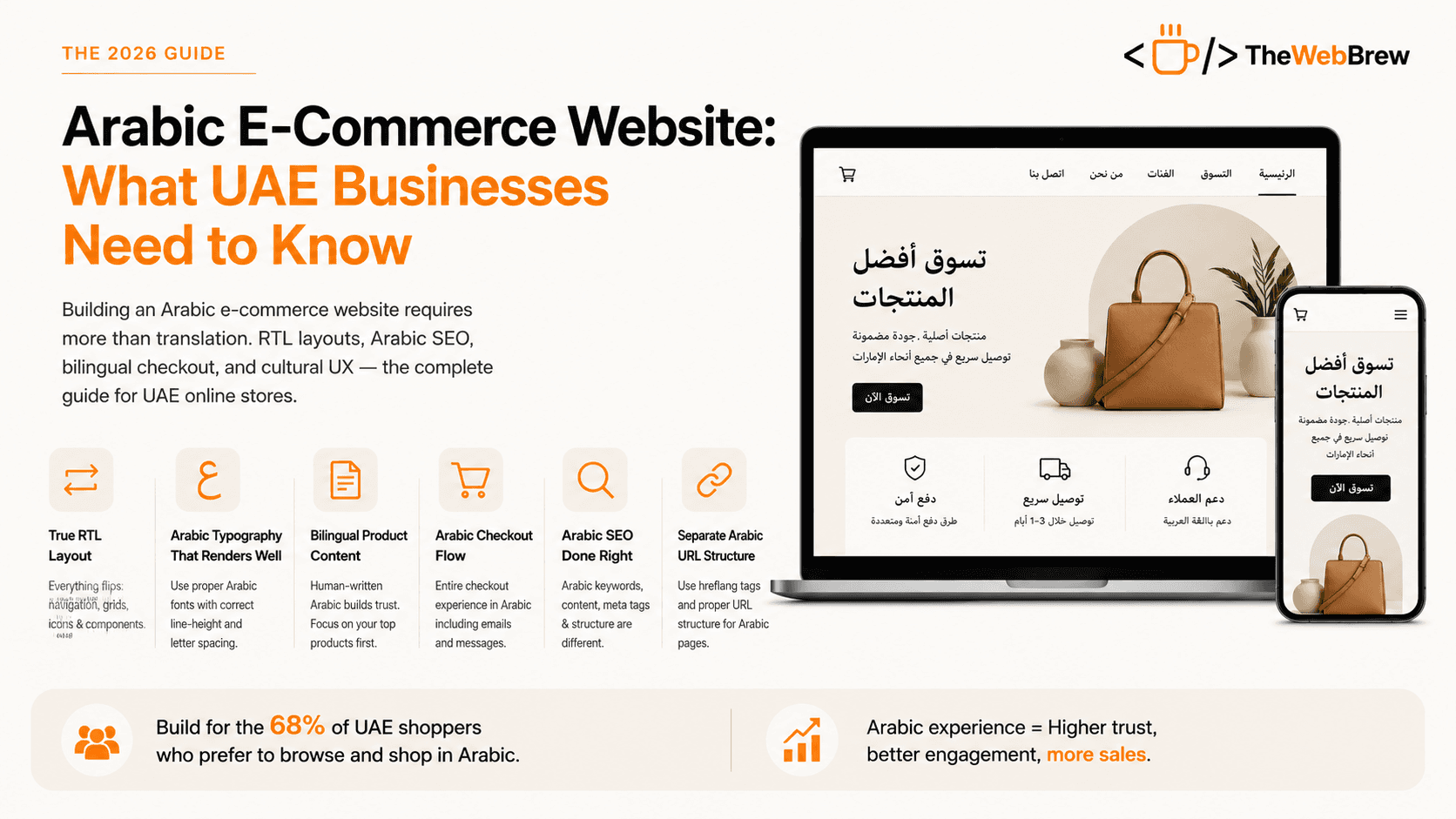
Most UAE e-commerce stores treat Arabic as an afterthought a translated version of the English site produced via an app or plugin, with no attention to typography, checkout experience, or Arabic SEO. The result is an Arabic option that exists technically but performs poorly.
Done properly, Arabic localisation is one of the highest-ROI investments an UAE e-commerce store can make. It doesn't just add a language it opens access to a customer segment that was previously excluded from your store.
6 requirements for a proper Arabic e-commerce website
True RTL layout (not just mirrored text)
RTL means everything flips: navigation moves to the right, product grids flow right-to-left, and UI components like dropdowns and sliders reverse. Simply applying direction: rtl in CSS is not enough your entire component tree needs to be designed with RTL in mind. Most Shopify themes and WordPress templates have RTL CSS that covers ~80% of the layout. The remaining 20% especially custom components requires manual RTL-aware development.
Arabic typography that actually renders well
Arabic web typography is not the same as Latin. Arabic fonts must support connected letterforms (harakat), and not all system fonts render consistently across platforms. Use Google Fonts Arabic (Noto Naskh Arabic, Cairo, Tajawal are reliable) rather than system defaults. Set appropriate line-height (1.6–1.8 for Arabic vs 1.4–1.5 for Latin) because Arabic ascenders and descenders require more vertical space.
Bilingual product content (not machine-translated)
Google Translate Arabic is noticeably poor quality to any native reader and your UAE customers will notice. Product names, descriptions, and category names should be written or reviewed by a native Arabic speaker. Focus on your top 50–100 products first. Poor Arabic copy is worse than no Arabic copy: it signals low quality and damages brand trust.
Arabic checkout flow
Your checkout must switch to Arabic when a user selects the Arabic language including form labels, error messages, button text, and order confirmation emails. PayTabs and Telr both support Arabic-language checkout. Your Shopify or WooCommerce theme needs proper Arabic translations for checkout strings (not just product content).
Arabic SEO separate from English SEO
Arabic search queries are different from English transliterations. UAE users searching in Arabic use different terms, different long-tail patterns, and different questions. Your Arabic pages need Arabic meta titles, descriptions, H1s, and content not just content with hreflang tags pointing to translated versions of English pages. Treat Arabic SEO as a separate research exercise.
Separate Arabic URL structure
Use hreflang tags to indicate language variants to Google: rel='alternate' hreflang='ar-AE'. Shopify Markets handles this automatically. For WooCommerce with WPML, configure the language switcher URLs correctly. Arabic pages should ideally be at /ar/ or on a subdomain search engines need to index them separately to capture Arabic search traffic.
Arabic on Shopify vs WooCommerce
Shopify: Use Shopify Markets (built-in) to create an Arabic language version. Enable the Arabic language in your Markets settings, translate your theme strings and product content, and Shopify handles the URL structure and hreflang automatically. Most Shopify themes have RTL CSS check the theme documentation before purchasing.
WooCommerce:Use WPML (paid) or Polylang (freemium) to create a bilingual store. You'll need a theme with explicit RTL CSS support look for "RTL ready" in the theme listing. The Astra and Flatsome themes are popular in the UAE market and have solid RTL support.
Custom-built: RTL support must be designed in from the start. Use Tailwind CSS with the RTL plugin (tailwindcss-rtl) or build your CSS with logical properties (margin-inline-start instead of margin-left) for automatic RTL/LTR switching.
Frequently asked questions
Is Google Translate good enough for an Arabic e-commerce website in the UAE?
No, and this is one of the most common and costly mistakes UAE e-commerce stores make. Google Translate Arabic is noticeably poor quality to any native reader, producing awkward phrasing, incorrect grammar, and sometimes outright wrong translations of product names and descriptions. UAE customers notice immediately, and poor Arabic copy is actually worse than having no Arabic option at all, because it signals low quality and actively damages brand trust rather than simply being a missed opportunity. The right approach is to have your top 50-100 products, the ones driving most of your revenue, written or carefully reviewed by a native Arabic speaker rather than machine-translated in bulk. This targeted approach is far more affordable than translating an entire catalogue professionally, while still covering the products that matter most for conversion. Machine translation can be a reasonable starting point for lower-priority pages, but never for product names, checkout flows, or anything customer-facing on your highest-traffic pages.
Does Shopify or WooCommerce handle Arabic RTL better for UAE stores?
Shopify generally has the smoother built-in path for UAE stores through Shopify Markets, which handles Arabic language creation, URL structure, and hreflang tags automatically once you enable the Arabic market and translate your theme strings and product content. Most Shopify themes also ship with reasonable RTL CSS covering roughly 80% of the layout, though custom components still need manual RTL-aware development. WooCommerce requires more manual setup: you'll need WPML (paid) or Polylang (freemium) to manage the bilingual store, and a theme explicitly marked 'RTL ready', with Astra and Flatsome being popular choices with solid RTL support in the UAE market. WooCommerce offers more flexibility for stores with unusual requirements, but Shopify's integrated approach means fewer things can go wrong for a UAE merchant without a dedicated development team managing the Arabic experience on an ongoing basis. Custom-built stores need RTL designed in from the start rather than retrofitted later.
How much does it cost to add a proper Arabic version to a UAE online store?
Cost varies by platform and how much of your catalogue needs professional translation, but a reasonable range for a mid-sized UAE store is AED 8,000-25,000 for a proper Arabic implementation, covering RTL layout adjustments, professional translation of your top products and key pages, Arabic-optimised typography, and Arabic-language checkout configuration. Shopify Markets or WooCommerce with WPML licensing adds a modest recurring cost on top of the one-time implementation work. This is a meaningfully smaller investment than most UAE store owners expect, and the return is substantial: over 40% of UAE residents are Arabic-speaking, and proper Arabic localisation has been shown to roughly double conversion rates among that segment compared to an English-only experience. Store owners often delay this investment assuming it requires a complete rebuild, when in practice it can usually be layered onto an existing Shopify or WooCommerce store without touching the English site's design or functionality at all.
Related reading
We build bilingual Arabic/English e-commerce stores
Proper RTL layouts, native Arabic content, bilingual SEO, and Arabic checkout built right from day one.
Get a Free Quote